Run your whole dental clinic from one app.
Appointments, patient records, prescriptions and bills — on your phone, tablet or computer.
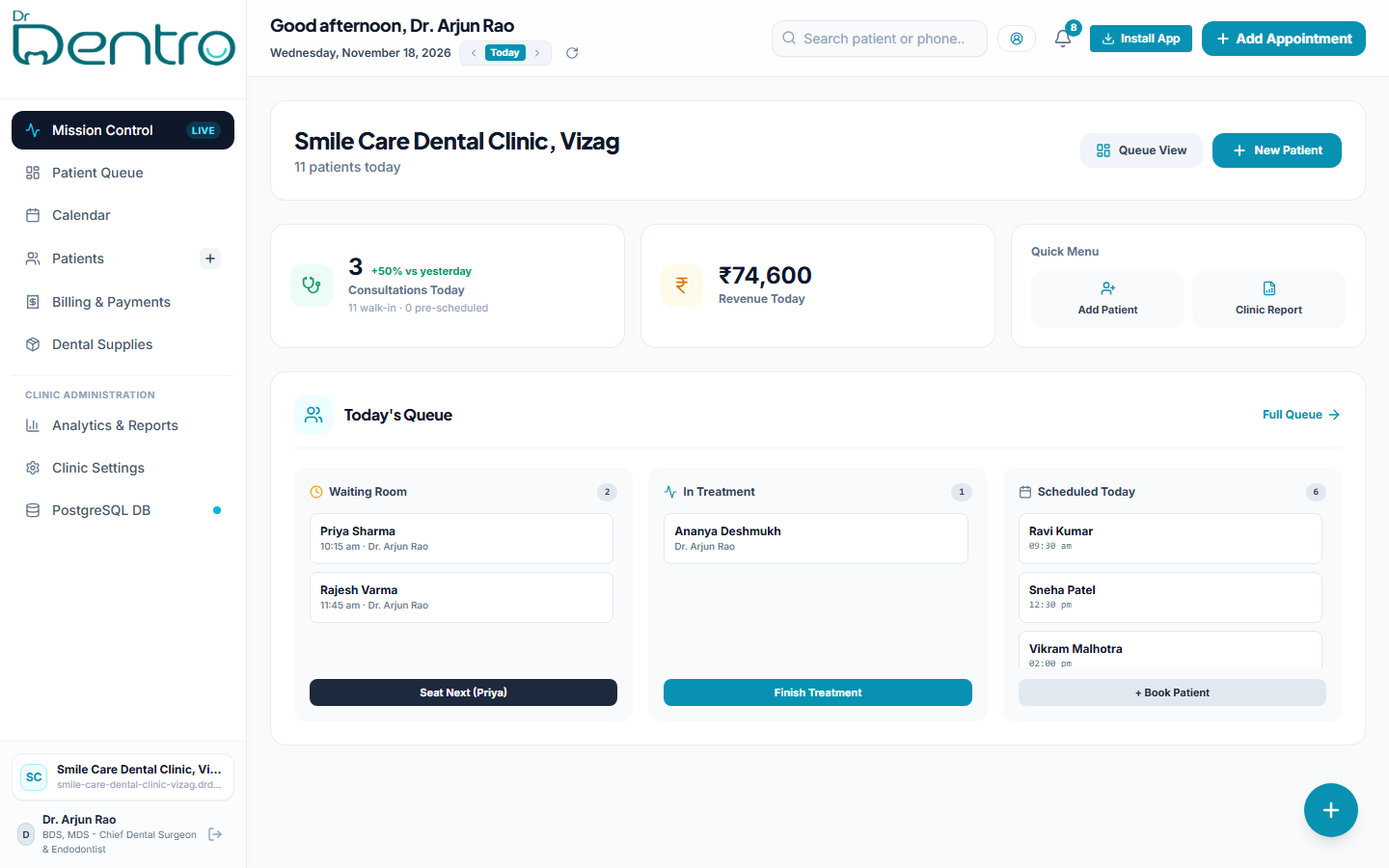
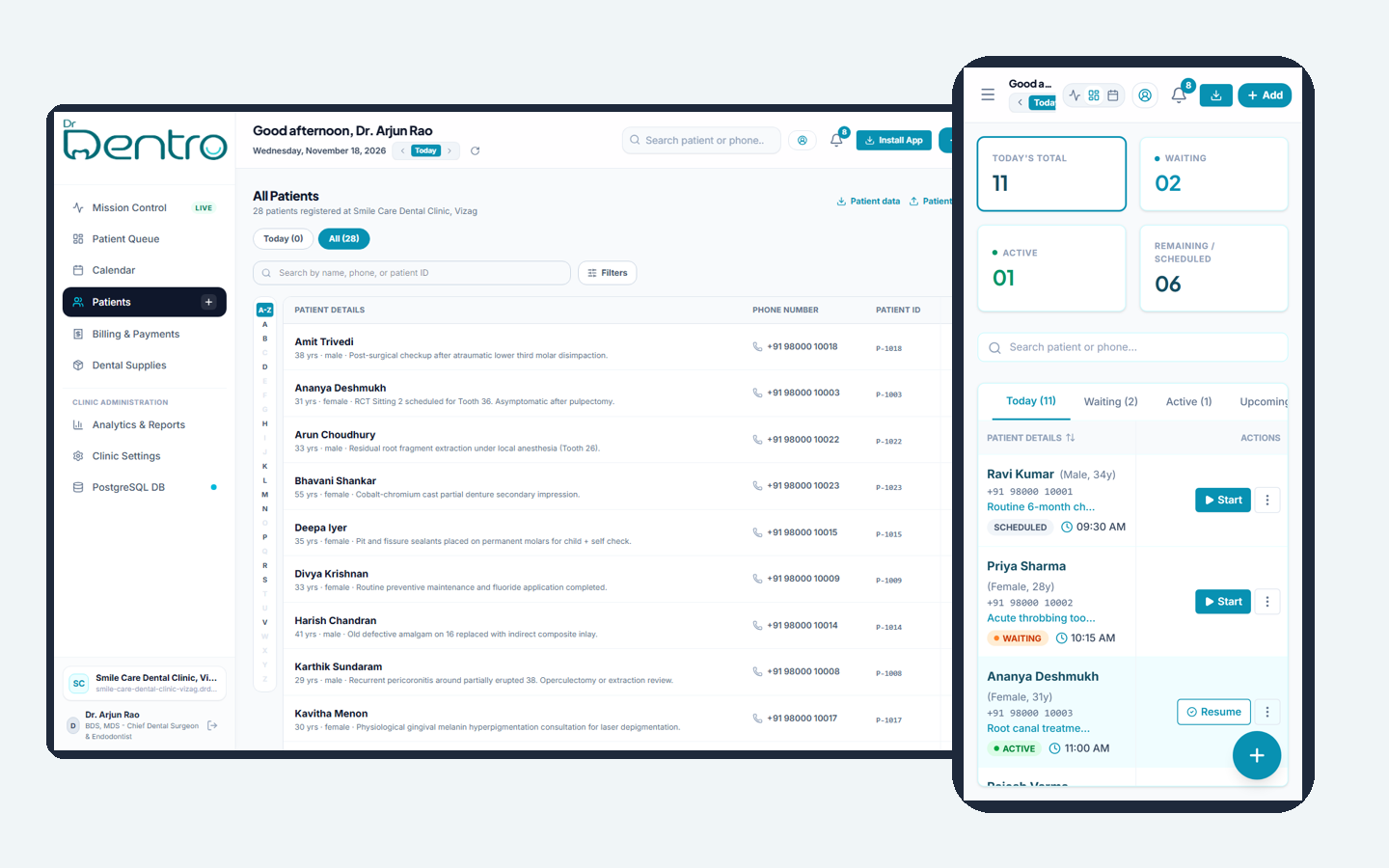
Desktop chamber view: Live queue, patient odontogram, and day's collection.
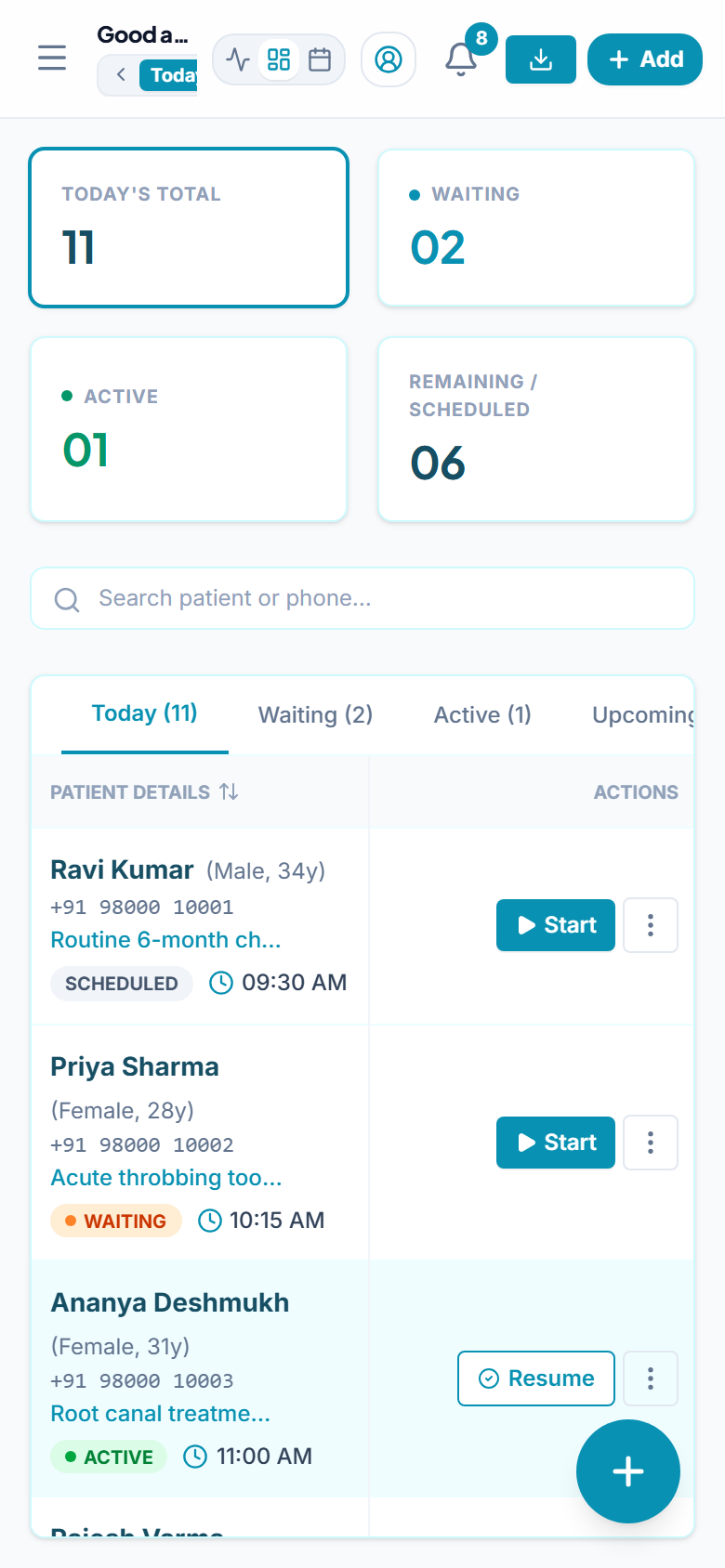
Mobile view: Chairside notes & reception queue.
(Clinic Bottlenecks)
(01)
Problems Every Clinic Faces
Manual registers and paper sheets slow down consultations and cause revenue leaks.
Paper case sheets get lost
Physical files get misplaced, patient history is hard to find during chair consultations, and paper records tear over time.
Front desk chaos and long waits
Unorganized patient walk-ins cause crowded waiting rooms, missed appointments, and confused token order.
Patients forget follow-ups
Patients drop off after temporary relief or first-stage root canal without completing their crowns or routine 6-month cleaning.
Billing done in notebooks, no daily report
End-of-day cash and UPI calculations take hours, pending patient balances are forgotten, and there is no clear revenue visibility.
(Built for Dental Workflow)
(02)
Everything Your Clinic Needs
Everything you need to manage appointments, patients, and revenue smoothly.
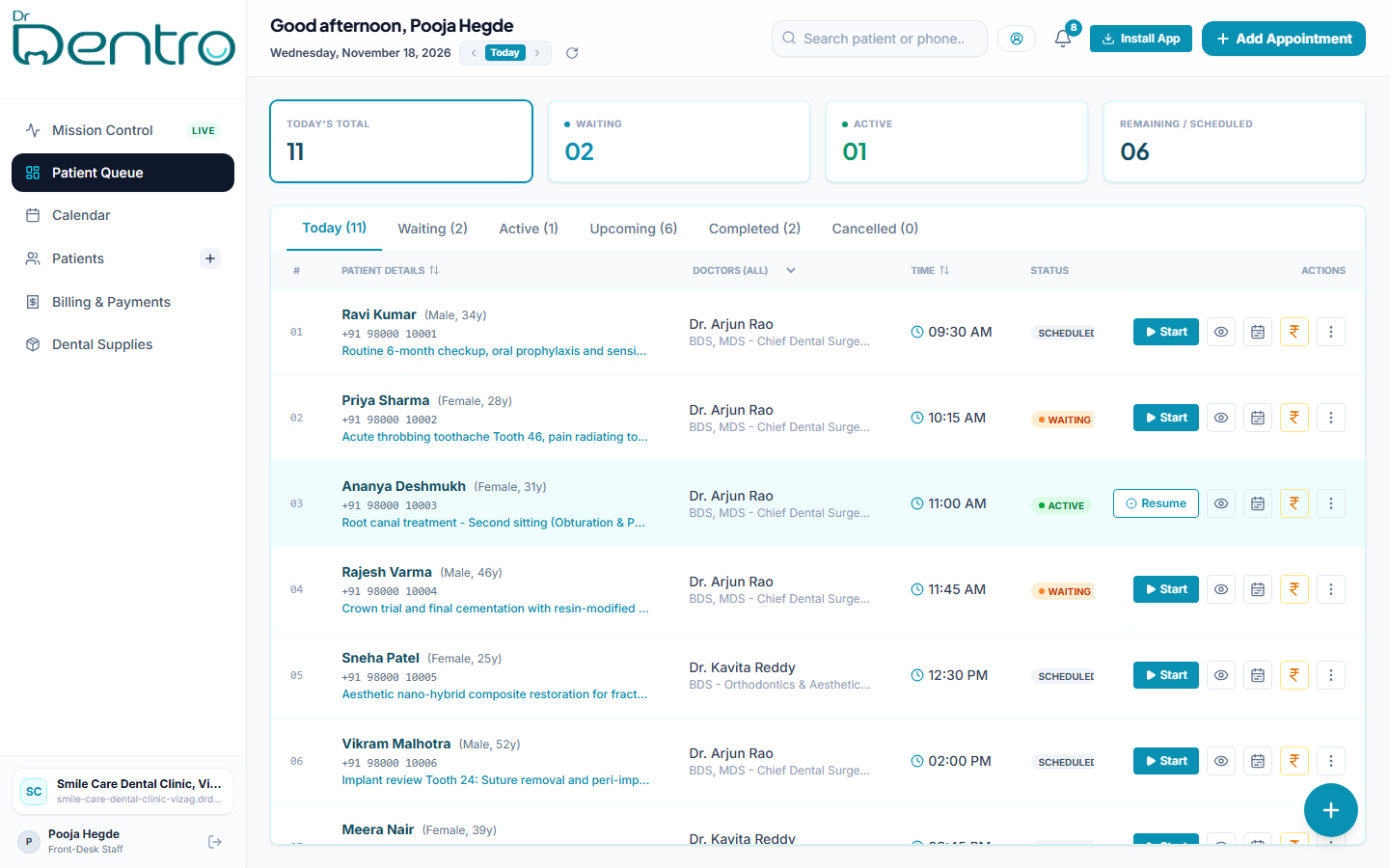
Today's queue and appointments
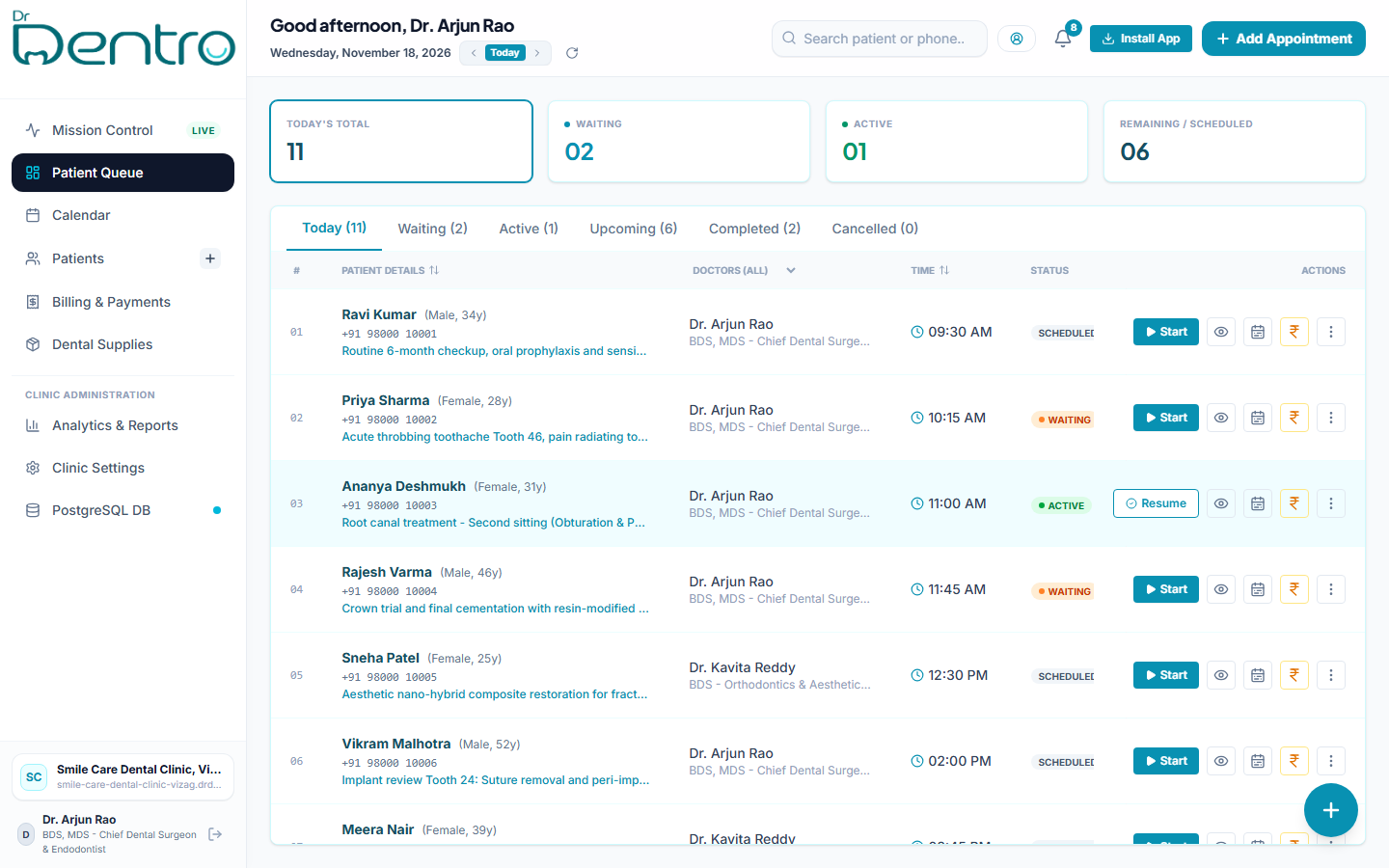
See every patient in your clinic in real time. Know who is in the waiting room, who is in the dental chair, and whose appointment is coming up next.
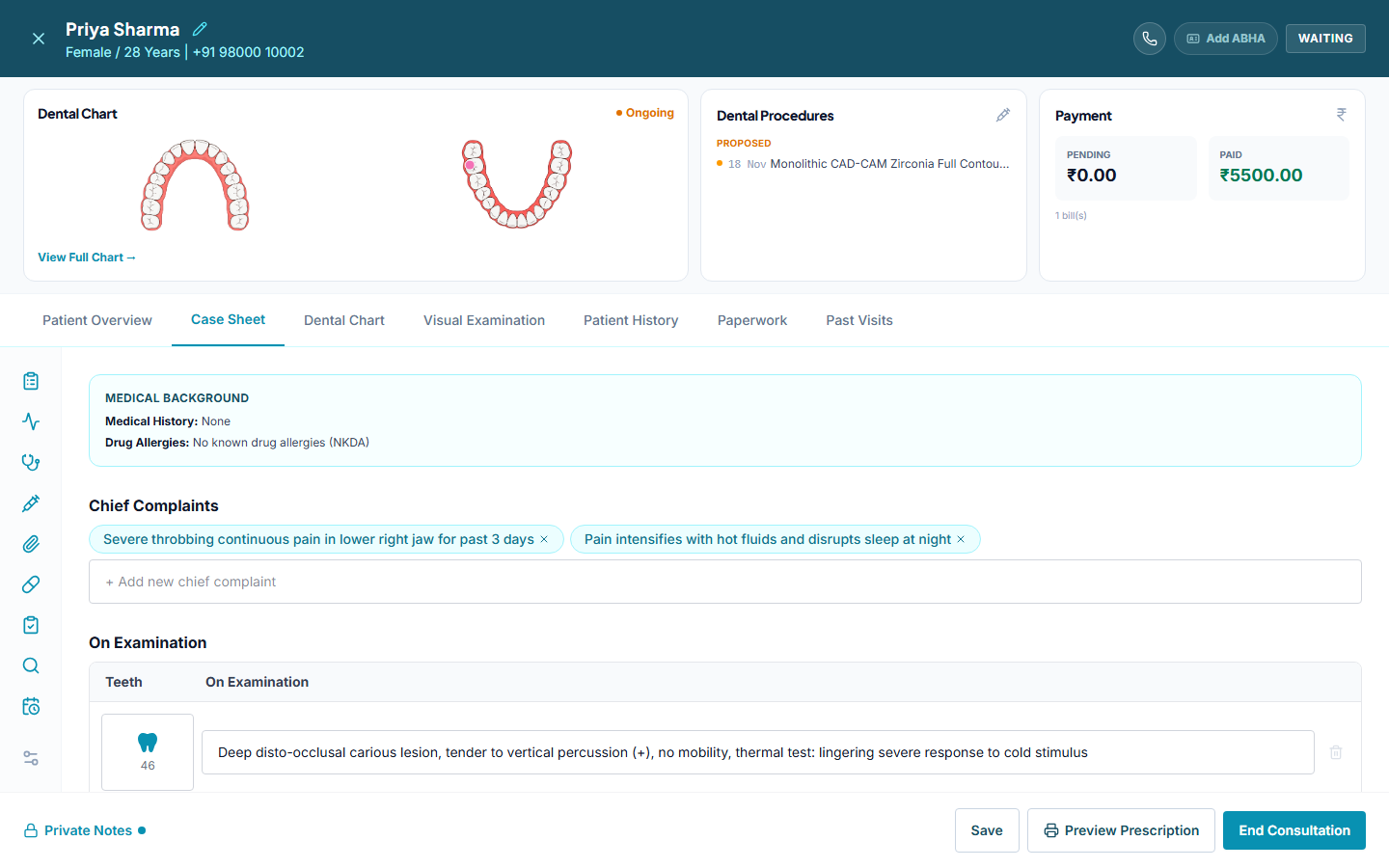
Patient records and case sheets
Complete digital dental case sheets with interactive odontogram dental charting. Record medical history, chief complaints, diagnosis, and treatment plans in seconds.
Prescriptions - preview and print
Write clear dental prescriptions with medicines, dosage and timing. Preview and print them with your clinic and doctor details.
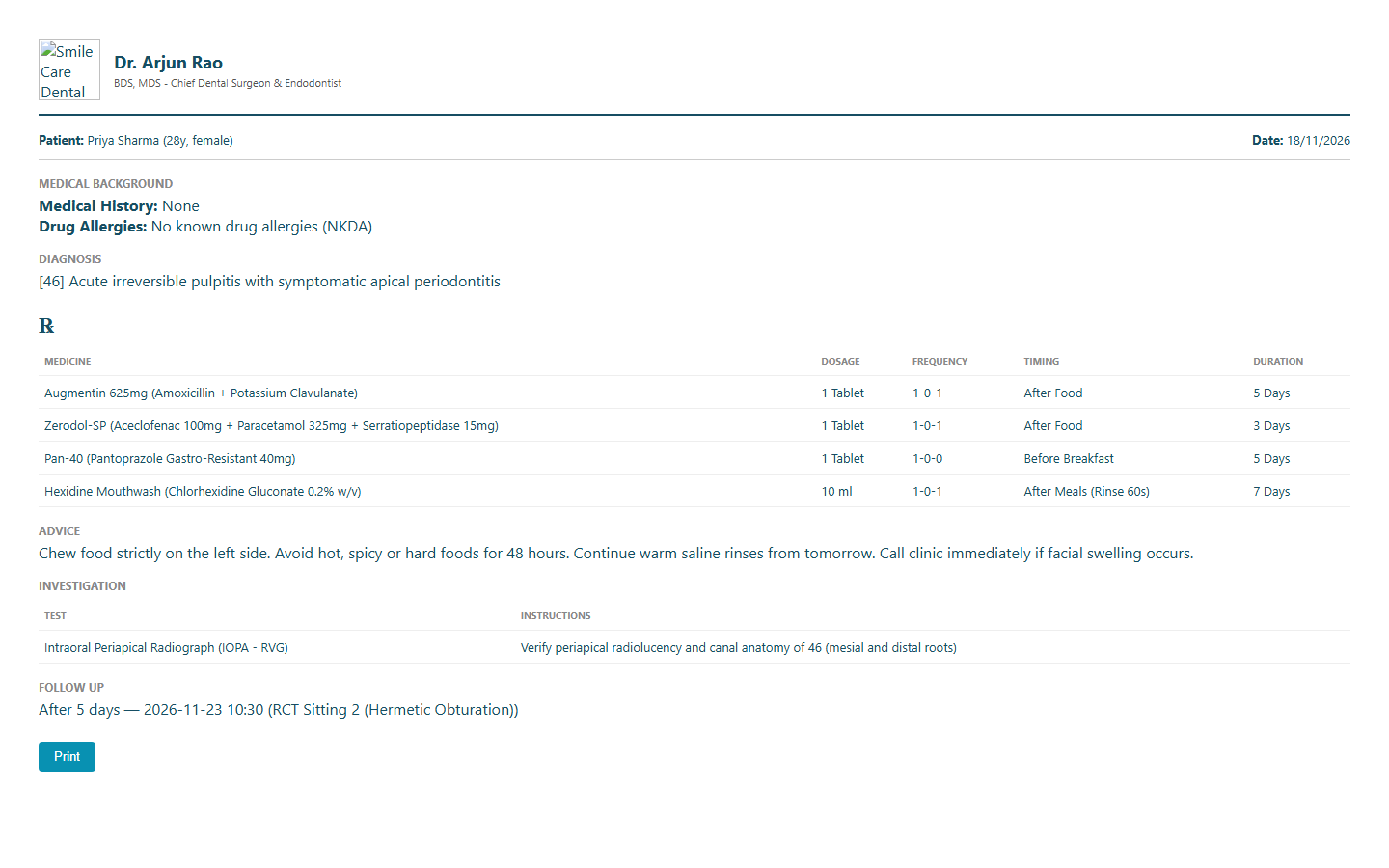
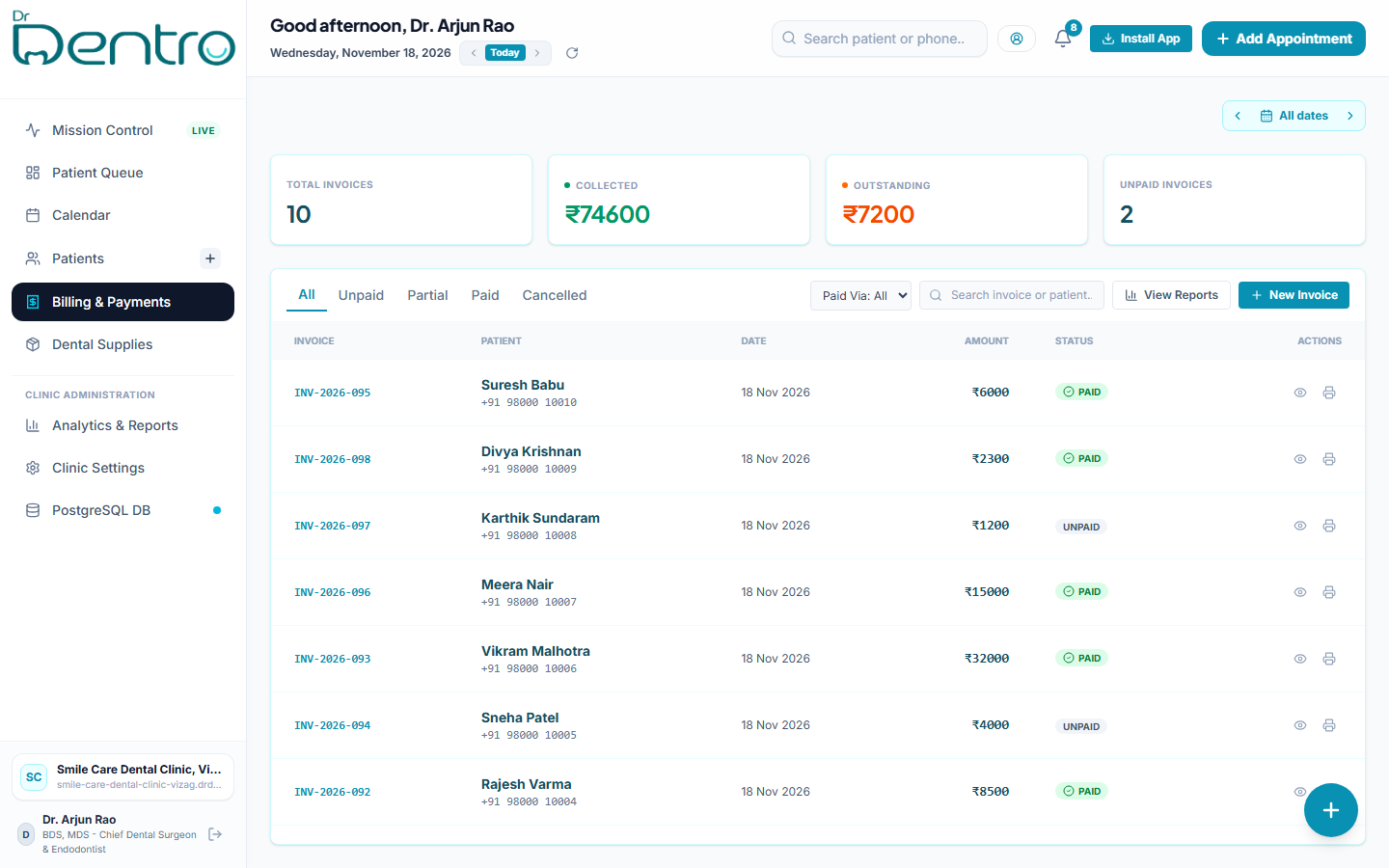
Bills, payments and daily reports
Create itemised dental bills, record cash and UPI payments, track pending balances and see your daily collection report.
Works on any device, no install
Runs smoothly in your web browser on phones, tablets, laptops, and desktop computers. No software to install and no server to maintain.
Separate doctor and front-desk logins
Doctors and front desk each get their own login. Front-desk staff manage queues and billing, while doctors handle case sheets and prescriptions.
Used every day by a dental hospital in Vizag.
Used daily for walk-in queues, multi-sitting dental treatments and billing.
(Implementation Process)
(03)
How It Works
Get your clinic onboarded in three simple steps.
Free demo call
We show you the complete app on a quick 15-minute video call and see how your clinic currently manages appointments and billing.
We set up your clinic
We configure your clinic name, doctor credentials, doctors, front-desk staff and treatment list for you.
Your staff start using it
Your reception team and doctors log in and start using it immediately after a short walkthrough.
(Plans)
(04)
Two Ways To Start
Pick the option that suits your clinic. We explain the cost for your clinic on the demo call.
Monthly plan
Use Dr Dentro for a small fee every month.
- ✓Your clinic uses the Dr Dentro app
- ✓Pay monthly or yearly, no big payment up front
- ✓We host it, keep it running and fix problems
- ✓New updates come to you at no extra cost
- ✓Best for clinics that want to start quickly
Your own branded app
The same app, with your clinic's name and logo.
- ✓The app shows your clinic name, logo and colours
- ✓Your staff and patients see your brand, not Dr Dentro
- ✓One-time setup fee, then a small monthly fee
- ✓The monthly fee covers hosting, updates and support
- ✓Best for clinics and hospitals that want their own app
In both options, your patient data belongs to your clinic and is kept separate from every other clinic. The software itself stays with Vyzma, so we can keep it updated and supported for you.
(Frequently Asked Questions)
(05)
Questions & Answers
Clear details about data security, devices, and setup.
Ready to organize your clinic appointments and records?
Connect with our team on WhatsApp to see a 15-minute live demo tailored to your dental clinic.